
Teach AI About Your Business
AI Playbook Volume 1
Hey Neighbor Serve Pros!
Welcome to the first of many AI and marketing playbooks we will publish together with Neighbor Serve to help give you an edge in your business.
Who are you and why should I trust you? I’m Skyler, and I am the founder of a local Indianapolis marketing agency Bloomrank. I have started and sold a local media business, and one of the marketing partners Neighbor Serve (and some pros!) trust locally for home services marketing. We use AI every day across our team to deliver better, faster results for our clients and I want to share some of how we do that with you.
Ready? Cool! Let’s get it.
You need better context
More than half of US businesses are using AI. (Ramp 2026)
This first playbook focuses on the highest-leverage thing you can do to get more out of it: context.
Every time you ask AI to help with your business, it starts from zero. It doesn’t know your trade, your city, your services, or your competitors — nothing about what makes your business yours.
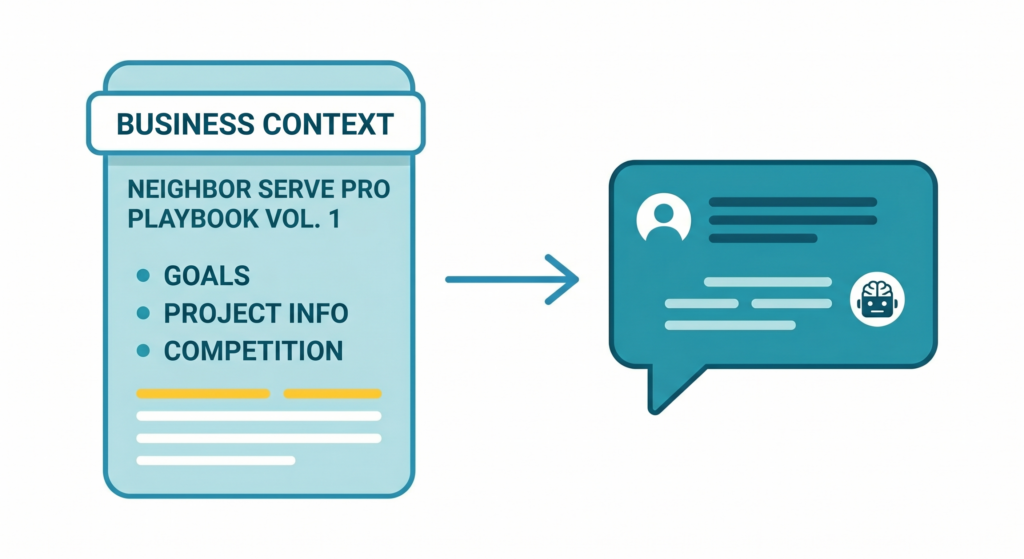
Context is what turns AI from a generic answer machine into a partner that can actually help across sales, operations, and marketing. Want to update a website page, fix your sales process, or scale what your team can handle? It all starts here.
- Give AI good inputs = and you will (usually) get good outputs out.
- Give AI bad inputs = no structure, no framework, context, or process and you’ll get what many refer to as “AI slop”.
You don’t want AI slop.
How to build your own business context file
You don’t write this whole thing yourself. You give AI the basics — the stuff you already know off the top of your head — and it handles the rest. From there, AI uses web search to research your website, your competitors, what’s ranking in your area, and what people are actually searching for.
Step 1: Start a Project in Claude
- Go to claude.ai.
- Click Projects.
- Create a new one.
- Name it after your business.
This is where your context file will live after we create it, and will have easy access to.
Step 2: Paste this prompt and fill in the blanks
I want you to build a complete business context file for my company that I can save and reuse as project instructions. Use web search to research my business, my competitors, and my market to fill in what I don’t provide.
Here’s what I know:
- Business name: [your business name]
- Website: [your URL]
- Owner: [your name]
- What we do: [your trade and a sentence about your business]
- Main services: [list your top services — be specific]
- Business Location: [city, state]
- Areas we serve: [cities, counties, or neighborhoods you cover]
- Years in business: [number]
- Who hires us: [homeowners, property managers, commercial, etc.]
- Average job size: [dollar range]
- What makes us different: [what your best customers say about you]
Now research and build out the rest:
- Look at my website and pull in additional detail about services, positioning, and messaging.
- Search for my primary services + my city. Document my top 5 competitors — their names, websites, Google review counts, and what they’re doing well.
- Identify gaps — services, content, or areas where competitors are visible and I’m not.
- Pull “People Also Ask” questions for my core services in my area.
- Note what the search results are rewarding — content types and page structures showing up at the top.
Compile everything into a single business context file:
- Company Overview
- Core Services
- Target Customers
- What Makes Us Different
- Brand Voice
- Competitive Landscape
- Market Gaps & Opportunities
- Key Searches
- Content Notes
Make it detailed enough that any future conversation can reference it without needing additional context.
Step 3: Go deeper with follow ups
Claude will come back with a solid first draft, but will need some review.
After you get the initial output, ask follow-up questions to sharpen the weaker spots. For example:
- “Can you dig deeper into what my top 3 competitors are doing with their Google Business Profiles?”
- “What specific service pages are ranking for [your service] in [your city]?”
- “Expand the Brand Voice section — here’s how I’d describe how we talk to customers: [your description].”
Two or three follow-ups will give you a much stronger file than trying to get everything perfect in one pass.
Step 4: Review and refine
Skim through the output and check what it didn’t get right. A few things we see a lot:
- Competitors may be off. AI might list companies that aren’t actually competing with you, or miss the ones you run into on every bid.
- Service descriptions may not match. The AI pulls from your website, and your website might not reflect what you actually do day-to-day. This is where you can fill in the gaps.
The goal isn’t a perfect document! It’s one that’s accurate enough that AI stops giving you generic answers.
Step 5: Save
Once you’re happy with it, time to save it.
Head back to the project you created until you see the same page as the above picture.
Click the “+” icon under files -> add text content -> give it a title -> paste your business context.
Now every time you start a chat in this project, Claude will have full access to the business context you created.
Keep it fresh
Your business isn’t static, and your context file shouldn’t be either. Set a reminder to revisit it every quarter. Things to update:
- New services you’ve added (or dropped)
- Changes in your service area
- New competitors that have popped up
- Shifts in what’s ranking in your market
- Updated pricing or job size ranges
You don’t have to rebuild from scratch. Just open the file, update what’s changed, and re-save it. Five minutes every few months keeps your AI sharp.
That’s a wrap!
We hope you enjoyed this first AI playbook. Let us know what you want to see from future playbooks, designed just for Neighbor Serve Pros.